
The operating system for your coaching business
AlphaCoachOS gives independent coaches one place to build programs, run check-ins and see which client needs them today. Their clients get an app that keeps working with no signal.
Free during early access. Sign up with your email, no card required.
- Works offline
- Syncs on reconnect
- One coach, one roster
- No invented numbers
Needs you today
3 of 14 clientsClients who need attention, and why
Everything else is fine. That’s the whole list.
Illustration with example data
Offline
3 sets queued. They sync when signal returns.
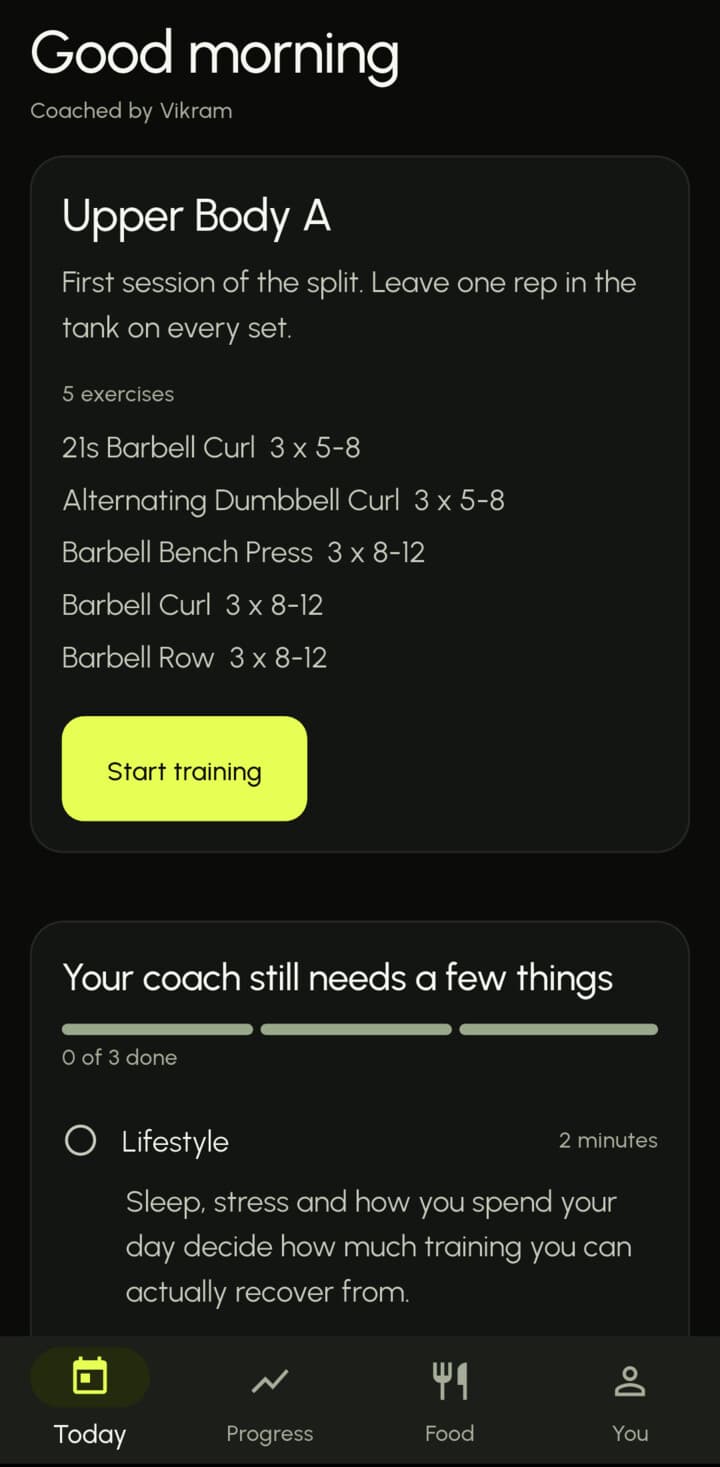
Upper Body A
- Barbell Bench Press3 x 8-12
- Barbell Curl3 x 8-12
- Barbell Row3 x 8-12
- 342 movements
- 299 foods with macros
- Works with no signal
- Check-ins with photos
- Program builder
- Realtime messaging
- Personal records
- Built in Chennai
Coaching software fails in small, specific ways
Not at the desk, where it was designed. In the basement, on the rack, with no bars of signal.
The set that never saved.
A log written with no signal, gone by the walk back upstairs.
The number nobody measured.
A dashboard showing zero because it has no reading, not because the client did nothing.
The program that was a PDF.
The same template, re-sent every Monday. No dates on it, no record of what got done.
Build the program once
Lay out sessions with sets, reps, load, rest, RPE and supersets. Assign one weekly rule and it becomes real dated sessions on your client’s calendar, not a template you re-send.
- Order, sets, reps, load, rest, RPE and supersets
- A searchable library of 342 movements
- A weekly rule creates dated sessions on the calendar
Barbell Row 3 x 8-12
- Set 1QueuedSynced
- Set 2QueuedSynced
- Set 3QueuedSynced
They open it and know what to do
One session, in order, with the coach’s note attached. No feed to scroll, no library to browse, nothing to choose between. Every set is written on the phone first and syncs when signal returns.
- Logging that survives the basement: sets queue locally and reconcile the moment signal returns
- Check-ins they’ll actually finish: short questions, photos optional, about two minutes
See who needs you today
The home screen is an attention queue, not twelve widgets. It answers one question: which client needs me today, and why. Check-ins arrive with photos and wait for a person to review them, oldest first.
- A roster with the clients who need attention at the top
- Check-ins built by you, answered in about two minutes, reviewed by you
- Realtime text messages between coach and client
- You build the formShort questions, your wording
- Your client answersAbout two minutes, photos optional
- It reaches your queueOldest first, with the photos attached
- You review and replyA person reads every check-in
Your brand on the client’s screen
Pick your accent colour and upload your logo and the client app carries them. Assign a nutrition plan and your clients log food from a database of 299 foods. Billing in rupees through Razorpay is being finished now.
- Per-coach accent colour and logo in the client app
- Nutrition: assign a plan, clients log food with macros
Built for the gym floor, not the demo
Each line is tagged with where it really stands today.
| Capability | What it means | Status |
|---|---|---|
| Works with no signal | Log every set underground. It syncs when reception returns. | Available |
| Real dated sessions | A weekly rule puts each session on the calendar with a date. | Available |
| Numbers that do not lie | A metric with no reading says so. Never an invented zero. | Available |
| Check-ins with photos | Answers and progress photos, reviewed by a person. | Available |
| Records that compute themselves | Personal bests update from logged sets. Nobody types them in. | Available |
| Yours to leave | Your clients and your programs export whenever you want. | Available |
| Billing in rupees | Plans, invoices and Razorpay settlement. The checkout screen is still being built. | In progress |
| Push notifications | Four notification types with quiet hours. Delivery setup is not finished. | In progress |
| Google Calendar scheduling | Coaches connect Google Calendar to schedule sessions. Built and tested; the live Google connection has not run yet. | In progress |
Build once. It arrives on its own.
A program is not a template you re-send every week. Assign a rule and the dated sessions appear on their calendar.
Build the program.
Lay out the sessions once, drawing from a library of 342 movements.
Assign a rule.
One weekly rule becomes dated sessions on the client’s calendar.
They train, anywhere.
Every set logs offline and syncs the moment signal returns.
Built for one coach and a roster you actually know.
No seats to administer. No org chart. No features you will never open.
No seats to manage. Gyms and coaching teams are on the roadmap, without an interface yet.
What works, what is next
The table shows where each piece stands. Here is what is being finished, and what comes after it, in order.
Being finished
- Billing, invoices and Razorpay checkout in rupees
- Push notifications with quiet hours
- Google Calendar scheduling for coaches
Planned, in this order
- Nutrition plan builder, habits and tasks
- Automation and analytics beyond the dashboard
- Media messages and recurring subscriptions
- AI copilot where a coach approves every output
- Gyms and teams: shared clients and one bill
Intelligence you can defend to a client
Most coaching tools show a score and ask you to trust it. Our rule is the opposite. Every number should show its factors and the rows it came from, and when AI arrives it drafts, a coach approves, and each output cites the exact signal behind it. None of that is switched on yet. It is the standard we are building to.
- No black-box scores
- A coach approves every AI output
- Every output cites its signal
Straight answers
Including the unflattering ones.
What happens when there is no signal?
Training works entirely offline. Every set is written locally and queued, then reconciled with the server the moment reception returns. Nothing is lost and nothing needs re-entering.
Who is it for?
Independent coaches running roughly 10 to 150 clients, each with their own roster. Gyms, studios and coaching teams with several coaches are on the roadmap, but there is no team interface yet.
Can I move my clients in from another tool?
Clients join by invite, one at a time. There is no bulk importer yet, so during early access we will help you move a roster across by hand.
Is there an app for my clients?
Yes. A native app where they train, log sets and send check-ins. You work from the coach portal in a browser.
Is there AI in it?
Not yet, and we will not label anything AI until a model is actually doing the work. An AI copilot is planned, with a coach approving every output.
What does it cost?
Pricing is not set yet. Early access is free, and we will tell you what it costs before we ever ask for a card.
When can I start?
Today. Sign up with your email at aco.seigotic.com: we send a six digit code and you set up your coach account. Want to talk first? Write to vikram@seigotic.com and we will reply within two days.
Be one of the first coaches on it
Sign up with your email and you are in today. Early access is free and needs no card. Questions first? Write to vikram@seigotic.com and we will reply within two days.